The Reception screen highlights (with a shopping cart icon) how many products are on a bill, and how many of those products have been given out.
In this example, there are 12 products on the bill and no products have been issued yet.
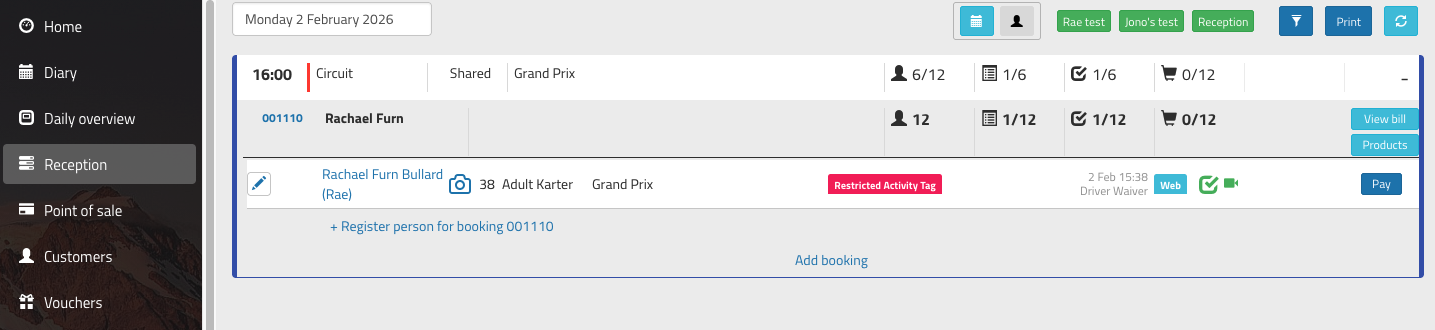
Click the light blue 'Products' button to see and distribute products for the bill.
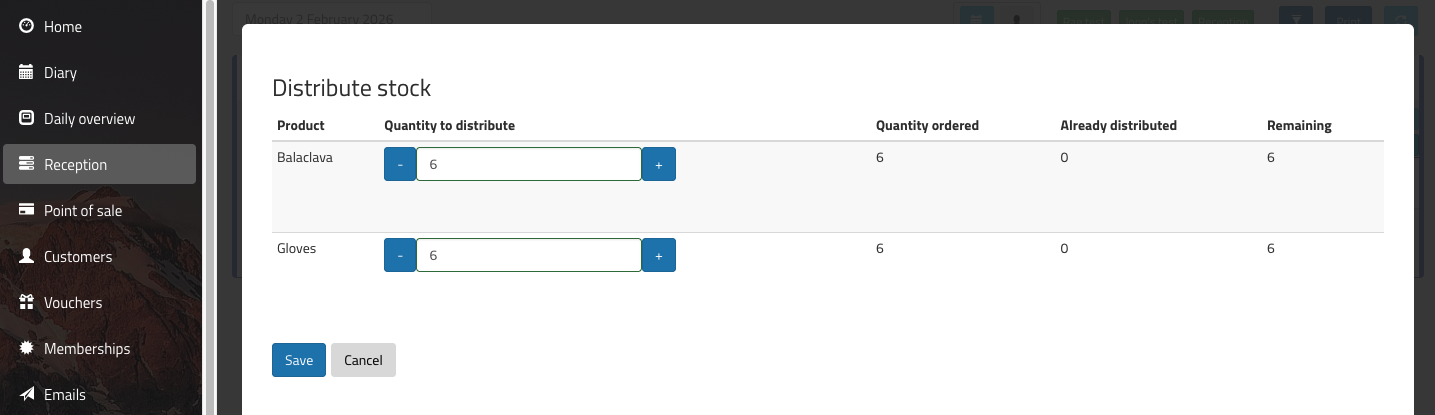
Enter the number of products that are being given out, and click 'Save'. The system will update accordingly, and if all the products have been given out, the icon will turn green:
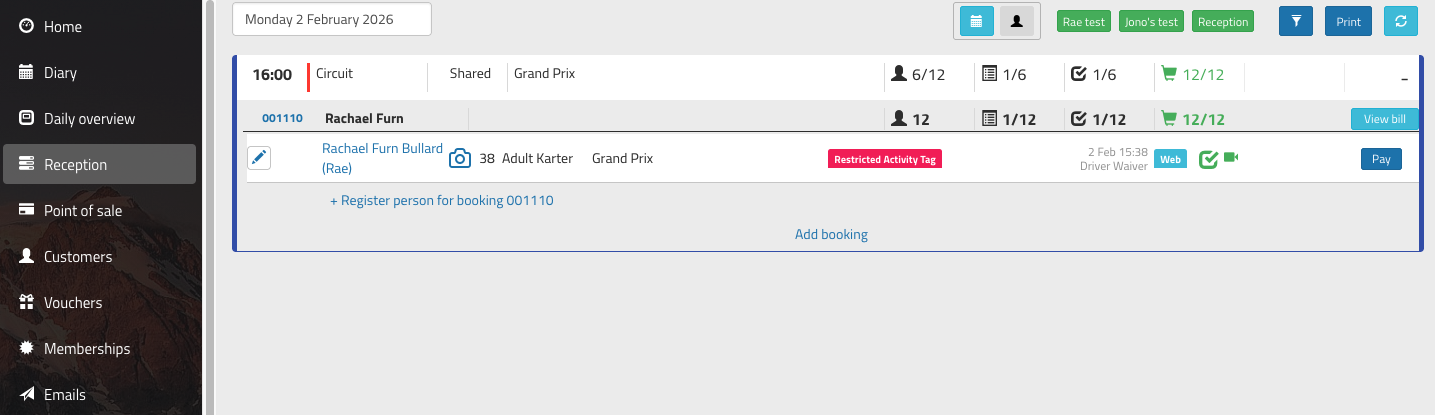
Not all products need to be given out at once, so it's possible to come back into this screen and issue products in several stages.
If you have products that don't need to be given out, you'll need to update the bill and refund these to remove them from the list.
Was this article helpful?
That’s Great!
Thank you for your feedback
Sorry! We couldn't be helpful
Thank you for your feedback
Feedback sent
We appreciate your effort and will try to fix the article