A class configuration is where you set up the competitive category that your customers select when they enter an event.
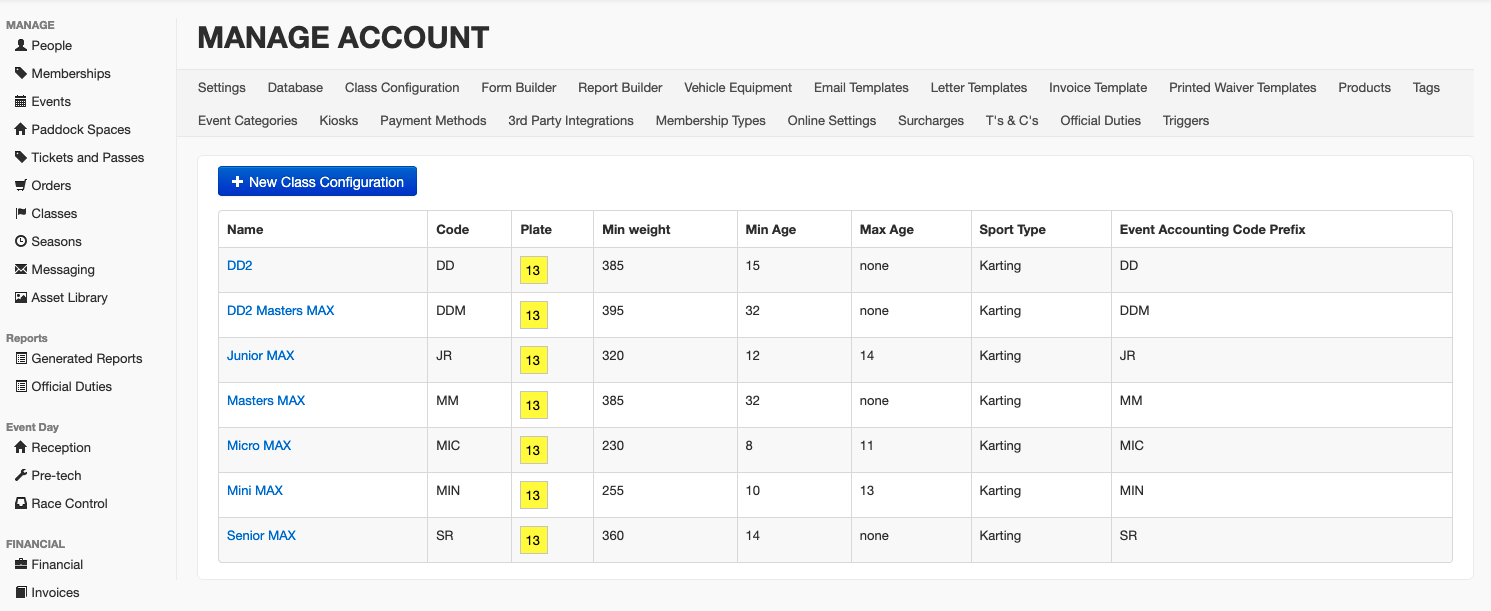
All of the class configurations that you have in your account are located in the Class Configuration page, in the Settings > Account menu. Click on a class configuration and then the Edit button to edit it or create a new class configuration by clicking on the blue New Class Configuration button at the top.

You can then fill in the details of your class's name and a shortened name that will appear in table headings and dropdowns. The Code in the settings must match the timing system here and vice versa so check your timing system as well or the class will not import correctly.
You can set the appearance of the number plate for the class, the default engine and tyres and the minimum/maximum age and weight requirements. These are purely a guide for yourself though and are not public facing.
You can also set with this class pays Sales Tax/VAT and which Bank Account the entry fees should be paid to (if applicable).
There is also the option to hide this class configuration from public view. This means the class will only be visible to administrators who can create manual entries for this class. See this page on how to create Class Entries.
Equipment Configuration
Once you have created a class configuration you can then set which Equipment is available to that class. These items can then be included in scrutineering or entry.
Your account needs to have an equipment register connected (i.e. Motorsport UK, WKA, ACU). Please contact support if your account does not have an Equipment Register.
Under the Equipment Configuration heading click on the “+ new equipment configuration” button to add a piece of equipment to be scrutineered or Click on an existing piece of Equipment to edit it.

When you add a new piece of equipment you will be asked what category of the equipment fits into (e.g. Engine, Chassis etc) and then you can specify whether the Equipment is required during the entry process, just scrutineering or both by ticking the appropriate boxes. Then set the minimum and maximum of the selected items a competitor can record on their scrutineer card e.g. for a twin engine karts, make sure the minimum is set to two.

Was this article helpful?
That’s Great!
Thank you for your feedback
Sorry! We couldn't be helpful
Thank you for your feedback
Feedback sent
We appreciate your effort and will try to fix the article