If you are using an RFID reader, to receive and record competitors details, the settings for these devices is found in the Timing App's decoder settings.
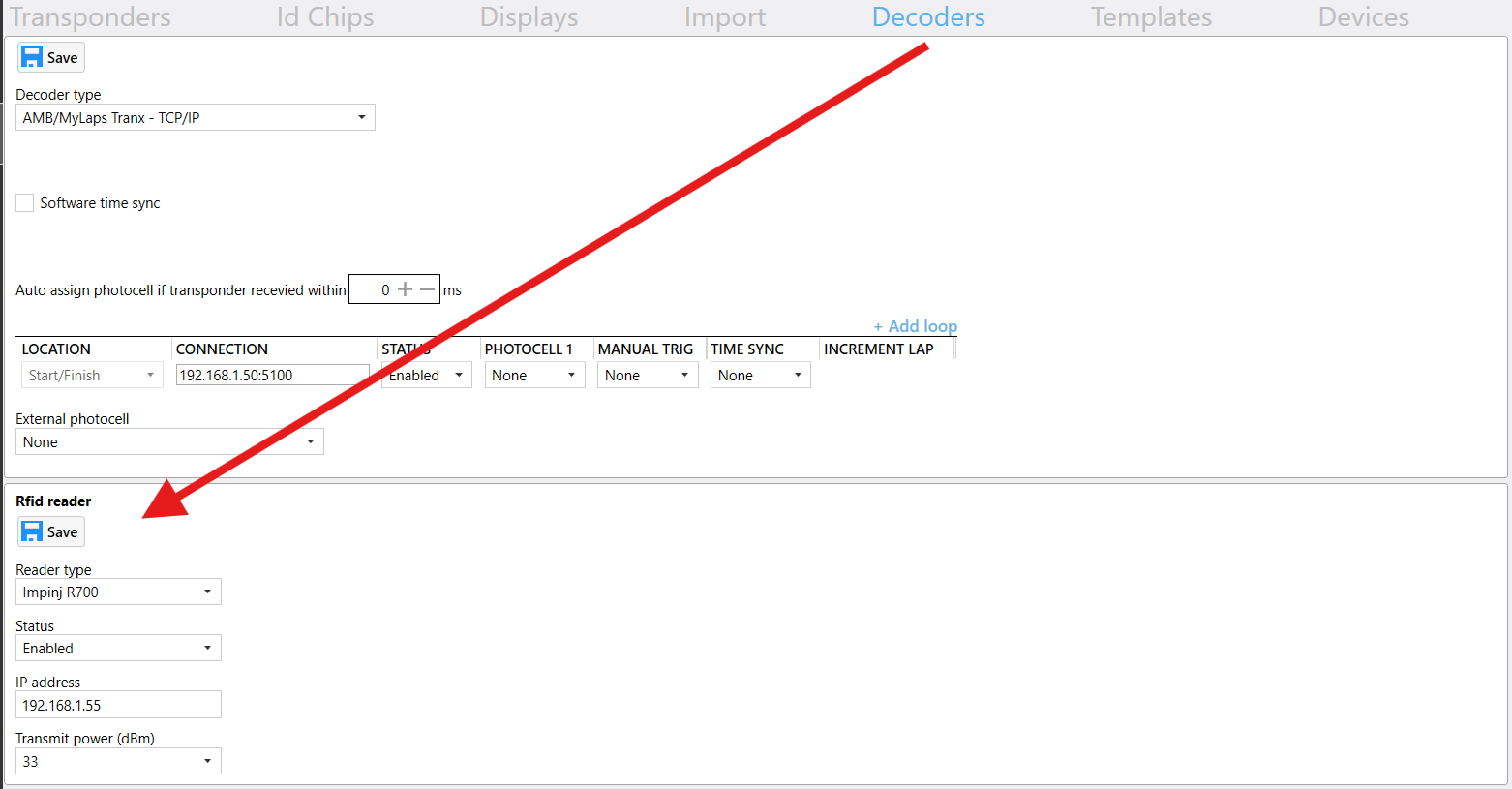
The currently supported devices are:
- Impinj 420
- Impinj 700
Set the Status to Enabled and enter the IP address of the reader. Set the transmitting power of the reader, so it only receives an input from the desired track position.
Was this article helpful?
That’s Great!
Thank you for your feedback
Sorry! We couldn't be helpful
Thank you for your feedback
Feedback sent
We appreciate your effort and will try to fix the article